Free DIY Passport Photo (2×2) – Print & Upload Ready

Take a passport photo at home using your phone — no app download needed. Upload it and get a free, U.S.-compliant 2×2 passport photo plus a 4-up 4×6 print sheet — no signup required.

AI background removal, face centering, 300 DPI output. This free passport photo tool lets you take a passport photo at home and print it at CVS, Walgreens, Walmart, or any local photo lab.

Works for: US passport, visa, green card, and ID photos. Save $15+ vs CVS or Walgreens passport photos.

✓ Works in your browser on any device✓ No app to download✓ 300 DPI print-ready output✓ No watermark — full quality, always free

This tool helps create compliant photos for your reference. The U.S. State Department has final authority on passport photo acceptance.

Upload Your Photo

Designed to meet U.S. State Department photo requirements

You'll get: a 2×2 photo and a 4-Up 4×6 print sheet

Original portrait photo before passport-style processing2×2 U.S. passport photo with white background, print-ready

Quick Tips:

  • • Face the camera directly with a neutral expression
  • • Use good lighting, avoid shadows on face
  • • White background preferred for best results

Upload Photo (30 seconds)

Click to browse, drag & drop, or paste (Ctrl+V)

Passport Photo Before & After

Upload any photo and get a print-ready passport-style photo in seconds

Original portrait photo before passport photo processing

Original Photo

White neutral background, good lighting

2×2 U.S. passport photo with white background, print-ready

2×2 Passport Photo

Ready for digital upload and printing
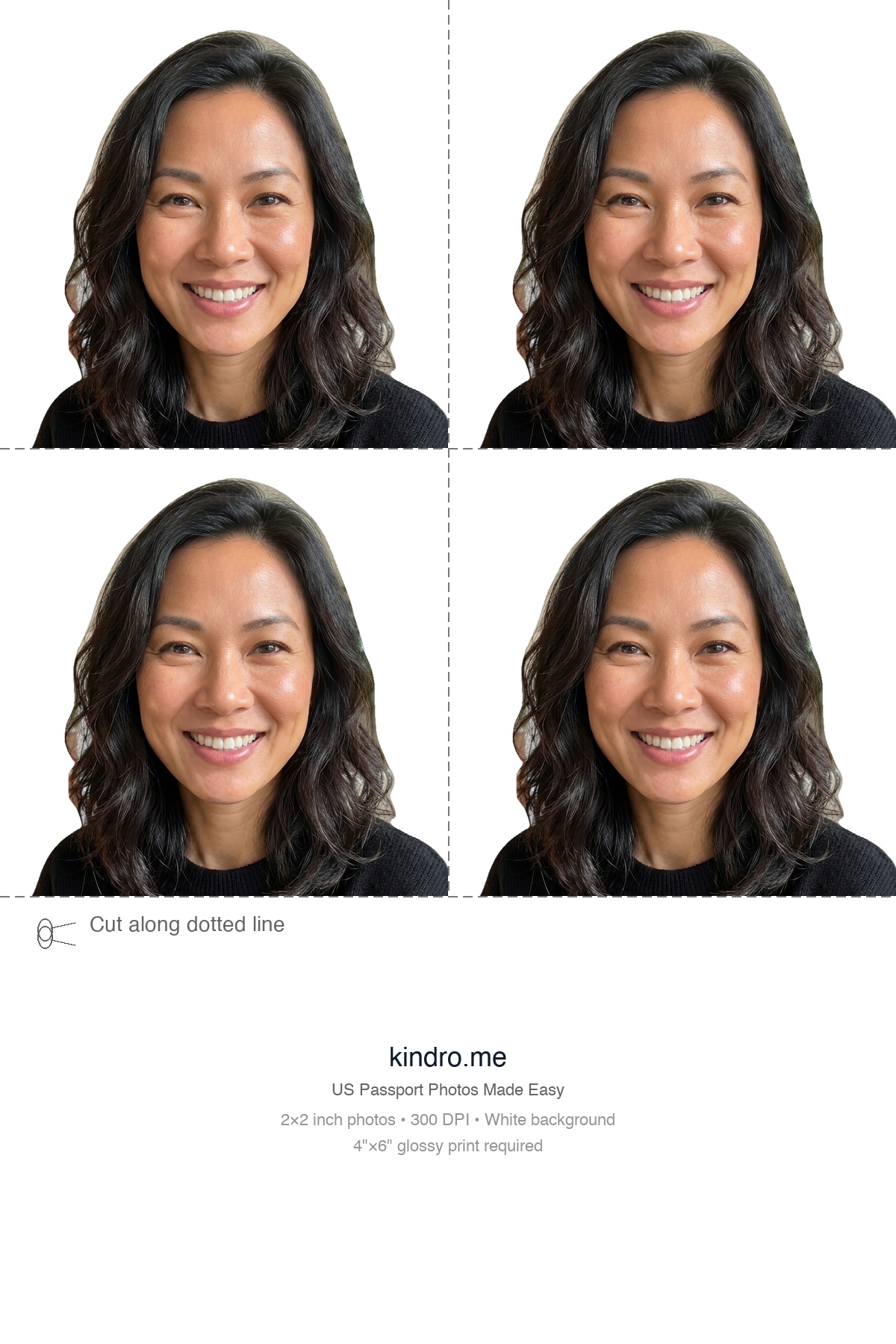
4×6 passport photo print layout for CVS, Walgreens, and Walmart
4×6 glossy print paper

4×6 Print Layout

Print on 4×6 inch glossy paper

See how it works (about 2 minutes)

How It Works

1

Take or Upload Photo

Use your phone to take a photo with good lighting against a white background.

2

AI Processing

Our AI removes the background, centers your face, and adjusts colors.

3

Download

Get your 2×2 photo and 4-Up 4×6 print sheet, ready for printing.

Learn how to take the perfect passport photo at home →

Make Your Own Passport Photo at Home

You don't need a studio or appointment. Use our DIY passport photo generator to automatically remove the background, center your face, and format your photo to U.S. State Department standards.

All you need is a smartphone with a decent camera and natural lighting. Take the photo against any wall -- our AI replaces the background with compliant white. Learn more in our step-by-step guide to taking a passport photo at home.

Print Your Passport Photo at CVS, Walgreens, or Walmart

Download a 4-up 4×6 print layout and print it as a single glossy photo at CVS, Walgreens, Walmart, Costco, or any local photo lab. Cut along the guides to get four 2×2 passport photos.

A standard 4×6 glossy print costs under $0.50 at most stores, compared to $16.99 for their passport photo service. See our full passport photo cost comparison and store-by-store printing guide.

US Passport Photo Requirements

Photo Specifications

  • 2×2 inches (51×51 mm)
  • White or off-white background
  • Head height: 1 to 1-3/8 inches
  • 300 DPI minimum resolution

Tips for Best Results

  • Face the camera directly with a neutral expression (avoid smiling with teeth shown)
  • Use a neutral background, preferably white
  • Ensure both eyes are open and visible

Common Rejection Reasons

  • Shadows on face or background
  • Non-white or textured background
  • Glasses (generally prohibited since 2016)
  • Hair or head covering obscuring eyes

See full U.S. passport photo requirements →

Frequently Asked Questions

Is this a free DIY passport photo service?

Yes. Kindro is completely free with no signup, no watermarks, and no hidden fees. You get the full-resolution 300 DPI passport photo and a 4-up 4×6 print layout ready for any drugstore or photo lab.

Can I take my own passport photo?

Yes. Any modern smartphone camera (iPhone or Android) has more than enough resolution. Use good natural lighting and a neutral background — Kindro's AI handles the rest, including background removal and face centering.

Can I submit this photo online?

Yes. The 2×2 digital image works for online passport and visa applications, including the State Department's online renewal system and USCIS e-filing. Download the single photo file for digital submissions.

How do I print my passport photos?

Download the 4-Up print layout and send it to any print service (CVS, Walgreens, Walmart, Costco) as a 4×6 inch glossy photo. Cut along the dotted lines to get four 2×2 inch passport photos.

Should I verify my photo before submitting?

Yes. While our AI checks for common issues, always verify your photo follows official US State Department guidelines before submitting your passport application.

Why Kindro?

Kindro is a free, browser-based passport photo tool. No ads, no accounts, no data stored. Your photo is processed on our server only for the time it takes to generate your result, then automatically deleted. Built to save you a trip to the store and a $17 fee.

Most online passport photo services advertise as free but lock the full-resolution download behind a paywall. Kindro gives you the complete 300 DPI file and a ready-to-print 4×6 layout at no cost. The tool works entirely in your browser on any device — desktop, tablet, or phone — with no app to download and no account to create.

Kindro vs. Other "Free" Passport Photo Tools

FeatureKindroOther "Free" Tools
Download qualityFull 300 DPI, no watermarkLow-res preview; pay $3–$10 for full file
Cost100% freeFree to try, paywall on download
Account requiredNo signup neededEmail or social login required
Data storedPhotos auto-deleted after processingPhotos may be stored or used for training
Print-ready layout4×6 sheet with 4 photos includedSingle photo only; print layout extra